
 Editorial Team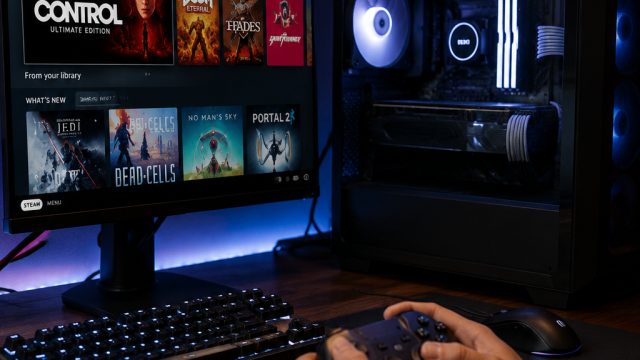
In a landscape where gaming technology is progressing rapidly, many enthusiasts find themselves on lengthy waitlists for pre-built gaming machines. However, a recent update from Valve has inspired a new trend: building your own system. This shift is especially relevant now, as gamers are seeking custom solutions that perfectly match their preferences and needs.
SteamOS: Opening Doors for DIY Gaming
Valve has made significant enhancements to SteamOS, making it more accessible for gamers interested in creating their own custom machines. The latest update not only simplifies the installation process but also optimizes the operating system for a variety of hardware configurations. This opens the door for aspiring builders to experience top-tier gaming without the constraints of ready-made systems.
Why Build Your Own Gaming PC?
- Cost-Effectiveness: Building a gaming PC can often be more economical compared to buying pre-built machines.
- Customization: Tailor every component to your specific gaming needs, from the processor to the graphics card.
- Upgradability: Easily upgrade components as new technology emerges, ensuring your gaming rig stays current.
- Satisfaction: Enjoy the pride that comes from building your very own machine.
Setting Up SteamOS on Your Custom Build
Getting started with SteamOS is straightforward, thanks to Valve’s recent efforts to streamline the installation. Here’s a step-by-step guide on how to set up SteamOS on your custom gaming machine.
1. Gather Your Components
Before diving into installation, ensure you have the necessary components:
- Processor
- Motherboard
- RAM
- Storage (SSD/HDD)
- Graphics Card
- Power Supply Unit
- Cooling System
- Case
2. Installation Process
Once you have the components ready, follow these steps:
- Assemble the hardware components within your case.
- Download the latest version of SteamOS from the official website.
- Create a bootable USB drive with the downloaded ISO file.
- Boot your machine from the USB drive and follow the on-screen instructions to install SteamOS.
- Once installed, customize your system settings according to your preferences.
Enhanced Features to Look Forward To
Valve is not stopping at just making SteamOS easier to use; there are promising features to look forward to in future updates:
- Improved Compatibility: Future iterations will support a broader range of hardware, making it even easier to build your dream machine.
- Advanced User Interface: Enhancements in the user interface will provide a more intuitive experience for gamers of all levels.
- Streamlined Updates: Regular updates will ensure improved performance and security for your gaming setup.
The Community and Resources Available
As more gamers venture into building their own gaming machines, a supportive community is emerging. Online forums, social media groups, and dedicated websites offer a wealth of information, helping novices and experts alike navigate the complexities of PC building. Resources such as video tutorials, component reviews, and troubleshooting guides are readily available to assist in your journey.
Where to Find Inspiration
If you’re looking for inspiration to build your next gaming rig, consider checking out:
- Toko Slot777 for insights on gaming setups.
- Visit gaming forums and subreddits dedicated to PC building.
- Explore YouTube channels focused on tech reviews and PC assembly.
Conclusion: Join the DIY Revolution
The shift towards building custom gaming machines using SteamOS is not just a trend but a movement that empowers gamers. With increased control over their gaming experience and the potential for cost savings, now is the perfect time to venture into the world of DIY gaming setups. As Valve continues to innovate and support this community, gamers can look forward to countless possibilities at their fingertips. Don't miss out—get started today!
 published on 2026-07-10